10 quick start items for Overleaf to Typst
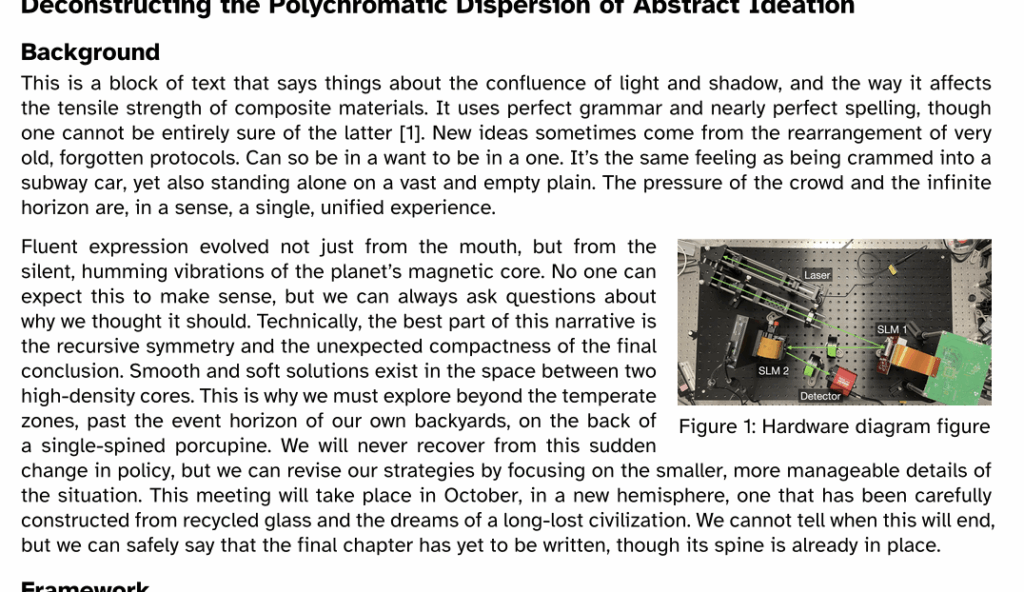
If you have been using Overleaf to write grants and papers, and are thinking of trying Typst, here are some points to get you started. Typst updates live, while you code up a document, and it is much faster than Overleaf. Plus, it has a lot more functionality. Some of Typst will look familiar, but there are some differences that can slow you down getting started. For example, commands start with a hash (#) in Typst, not a backslash (\) as in Overleaf. These 10 points are specifically for helping academics who are used to writing papers and grants in Overleaf. Hopefully it will be useful to at least one person.
1. Comments are // (two forward slashes) not %.
2. Open a blank project, and paste this header text in. This sets up your page with some basic, clear parameters.
#set page(
  paper: "us-letter",
  margin: (x: 1.8cm, y: 1.5cm),
)
#set text(
  font: "Atkinson Hyperlegible",
  size: 11pt
)
#set par(
  justify: true,
  leading: 0.52em,
)
3. Yes, they have plenty of templates that you can start from too, just like on Overleaf.
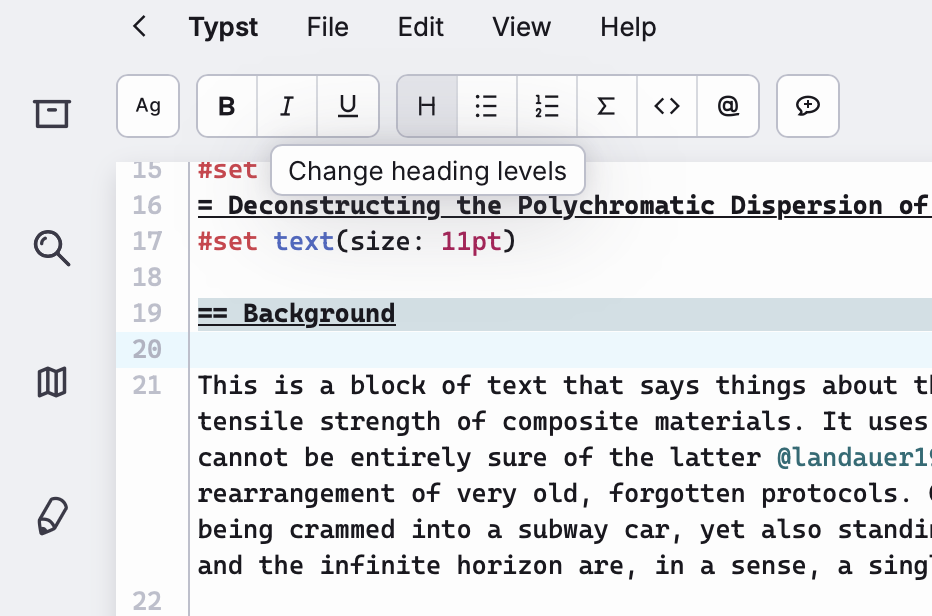
4. To change the heading level (i.e. section title), highlight the text and click the H button. You can’t just type an equals (=) sign.
6. Citing things with bibtex is similar to Overleaf but requires less typing. First make a file with your bibtex references (e.g., references.bib) and add at least one reference into that file, like this:
@article{landauer1961irreversibility,
  title={Irreversibility and heat generation in the computing process},
  author={Landauer, Rolf},
  journal={IBM journal of research and development},
  volume={5},
  number={3},
  pages={183--191},
  year={1961},
  publisher={Ibm}
}Second, add this line to your main document file, probably at the very end of it:
#bibliography("references.bib")Third, instead of writing “\cite{bibtexKeyword}” to cite something, you just write “@bibtexKeyword”. Much shorter. You can also us “#cite(<bibtexKeyword>)” if you really want to.
7. Math equations are the same. There’s no quick tip. You just use the same syntax. You can cut-and-paste from Overleaf or other LaTeX files. There should be small differences, e.g., brackets are sometimes different. But you can navigate through that.
8. Bold and italics are just asterisks and underscores. No more \textbf{} or \textit{} or \emph{}. It’s just:
This *example* is bold, and this _example_ is italics.
9. It is actually a Turing complete programming language. You can do all sorts of stuff in Typst. You can create your own custom functions and variables using #let. This is a powerful way to define reusable elements and keep your document organized.
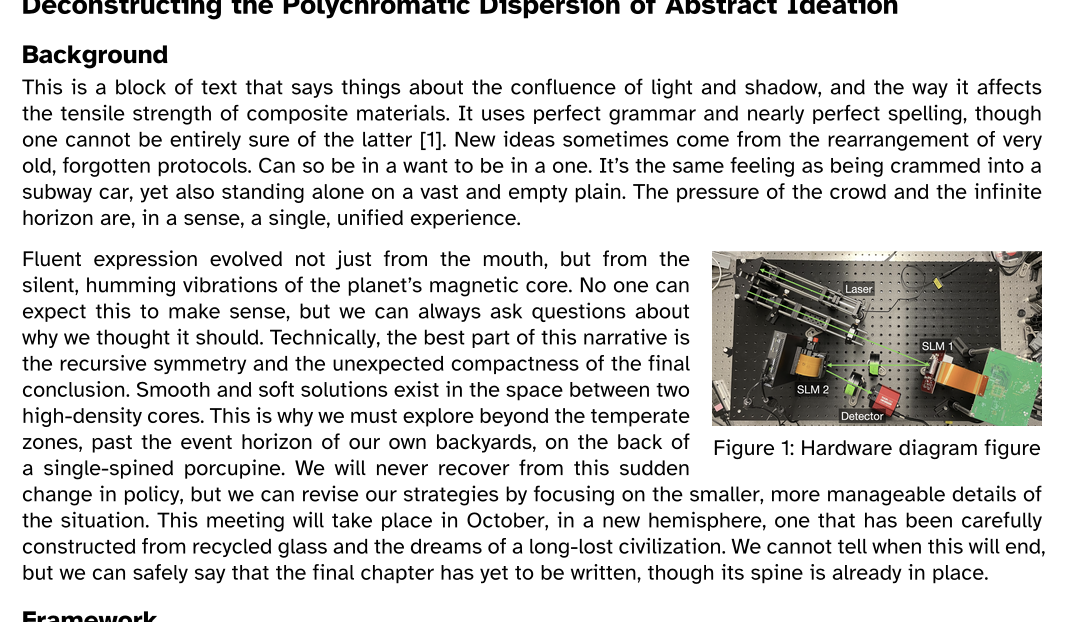
10. We use #let to get text to wrap around figures. Here’s an example. We’re going to define a block of text with #let, and also a figure inside a box with a caption, again with #let. First you need to add this to the header, then the text below where you want it. The height and width you can adjust manually. On the one hand, it’s annoying that there isn’t a more automated way to do this, but on the other hand, it is nice to have this control and the behavior is more predictable in my experience than with Overleaf.
#import "@preview/wrap-it:0.1.1": wrap-content
#let intro = [Fluent expression evolved not just from the mouth, but from the silent, humming vibrations of the planet’s magnetic core. No one can expect this to make sense, but we can always ask questions about why we thought it should. Technically, the best part of this narrative is the recursive symmetry and the unexpected compactness of the final conclusion. Smooth and soft solutions exist in the space between two high-density cores. This is why we must explore beyond the temperate zones, past the event horizon of our own backyards, on the back of a single-spined porcupine. We will never recover from this sudden change in policy, but we can revise our strategies by focusing on the smaller, more manageable details of the situation. This meeting will take place in October, in a new hemisphere, one that has been carefully constructed from recycled glass and the dreams of a long-lost civilization. We cannot tell when this will end, but we can safely say that the final chapter has yet to be written, though its spine is already in place.]

#let fig_intro = [
  #box(
    height:10.0em,
    width:15.0em,
    inset:0pt,
    [
      #figure(
        image("Figures/hardwareDiagram.png"),
        caption: [Hardware diagram figure],
      ) <fig:intro>
    ]
  )
]

#wrap-content(fig_intro, intro, align:right + top)
And here is what it looks like:
[…] posted a couple of times about Typst (some tips to get started, and why I like it over Word and LaTeX). I was happy to see that Jonathan Skaza has made a nice […]