Posts tagged with electronics

Inventables is a web retailer with a decent site that makes it easy to find raw materials and interesting components. E.g., stretch-sensing rubber and conductive velcro.

Inventables is to McMaster-Carr as SparkFun is to Mouser.

It’s run out of Chicago. Haven’t tried them, but probably will.

Coax BNC cables come in two flavors, 50 ohm and 75 ohm. For experimental rigs (PMTs, DAQs, amplifiers), always buy 50 ohm cables. The 75 ohm versions are for video applications, so they’re what you’ll typically find in consumer electronics stores.

The connectors are interoperable, so it can be difficult to tell what you have. The picture above should help.

In most applications, you won’t see much of a difference if you use a 75 ohm cable where a 50 ohm cable is supposed to be. But it is an impedance mismatch, and in some cases there will be a degradation of the signal. Just buy 50 ohm cables unless you’re doing something in video with instrumentation built to take 75 ohm cables.

When ordering: “RG58″ is a common type of 50 ohm connectors, and “RG59″ is a common type of 75 ohm connectors.

0 comments

Superbright LED spot

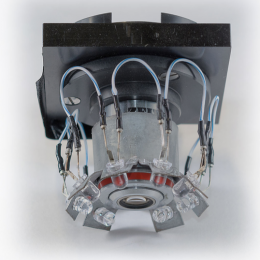
Lukas Fisher’s got a new post up covering the build of a super bright LED spotlight, including details on his experience with hotplate-based reflow soldering. (link)

1 comments

LabVIEW Style Guide

LabVIEW is a great tool, but the block diagrams can become a mess if the programmer isn’t careful. This book was recommended to me by David Ferster, whose LabVIEW code is very clean and eloquent, and I wanted to pass the tip onto the Labrigger audience.

0 comments

Nice enclosures

Most project enclosures are cheap and ugly. I challenge anyone to find something from PacTec that Dieter Rams would want in his house.

The following suggestions might not be Rams-worthy either, but they’re a step in the right direction.

Metcase
This company makes some decent enclosures (e.g., rackmount cases, nice knobs too)

PC cases
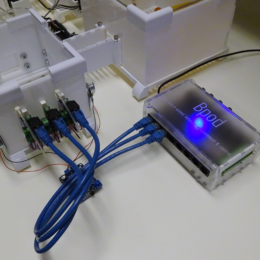
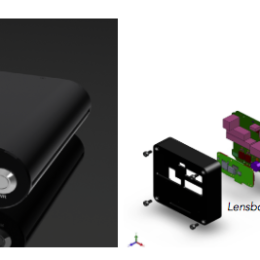
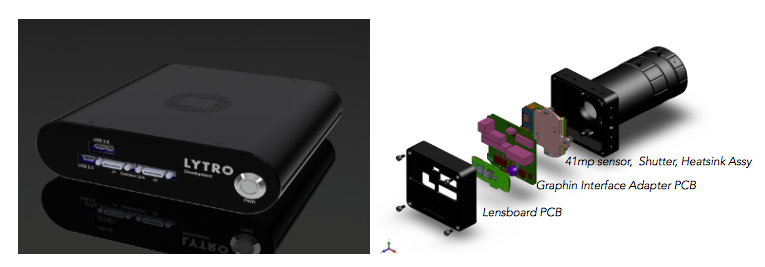
Recently I used some PC cases as project enclosures and was pleased with the results. For example, these fanless mini-ITX cases (pictured above) don’t have any drive bays, include some LEDs you can use to indicate anything, and aren’t terribly expensive.

HD enclosures
For something smaller, external HD enclosures aren’t a bad bet.

Previously on Labrigger…
Beautiful enclosure
Project enclosures

This is a work in progress, please contribute additions, thoughts, and criticism (constructive and otherwise) in the comments.

Step 0. RTFM.

Step 1. Turn it off and back on.
Congrats. There is a 99% chance you just fixed it.

Step 2. Check the connections.
Unplug the cable and replug it back in. Repeat with all plugs.

Step 3. Check the cables themselves.
Check the continuity of all connecting cables. I recently tracked a problem down to a defective, Hamamatsu-supplied cable. They had nicely soldered on a simple connector, but so much solder flux was used that the electrical connection was very poor. I clipped it off and attached a new connector. Problem solved.

Step 4. Check power supplies.
Most sane EEs add in a bit of protection to the main circuit to make it resistant to power spikes, etc. So although power supplies themselves are often the sites of failure, the rest of the device may be fine. Check to make sure they’re providing the correct voltage and that it doesn’t change when under load. I’ve had power supplies seem okay when tested with no load– only later did I find out that they were bad under load. Either swap with another power supply, or measure the current under load using a test circuit. If the power supply is on the main circuit board with the rest of the device, then skip this step.

Step 5. Contact the manufacturer.
Often there are important troubleshooting tools not documented in the manual, e.g., test points, key press commands, and service modes. The company might offer helpful information.

Step 6. Buy a new one (or request a replacement).
Time is money. Although blown capacitors are often easy to spot by eye and replace, in my opinion, it is not typically a good use of scientist time.

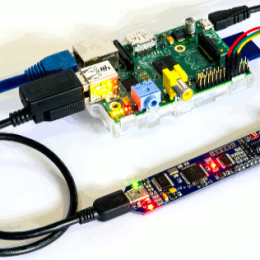
I’ve referenced Toolduino before. Now I use Firmata more (upon which Toolduino is based). It turns the Arduino into a simple interface, rather than letting it think at all. I find this handy for prototyping up custom interfaces and checking the low level electronics. It’s cross-platform, of course.

These screw shields make it simple to connect a bunch of stranded wire to an Arduino. This one is available here, or here. It’s a little thing, but it saves a lot of soldering.

Beautiful integration of a laser cut enclosure, its contents, and its wiring. (link)

As previously noted, homemade cables are to be avoided. However, stock cables are not always up to spec. For example, if one wants to drive stepper motors using a 9-pin serial cable, are the individual conductors able to carry the 1 A of current required? What about high frequencies over repurposed speaker cables?

The chart above (larger version) should help you decide what gauge of wire to look for in a particular application. Note that these are relatively conservative engineering specs, so in practice you can get away with underspec’ing a bit.

The maximum current is the current that, if sustained, won’t result in too much heating. The maximum frequency is the signal frequency at which there is 100% skin depth– i.e., the entire cross section of the wire is carrying the signal. At frequencies higher than this, the effective resistance of the wire increases.

To answer to the above questions: Yes, a 9-pin serial cable will work fine for driving steppers if the duty cycle is low (i.e., the stepper motors are typically not moving). Get a heavier guage if you can (e.g., 20 or 22 AWG), but since the currents are fairly brief the wires won’t heat up much even if you underspec them. However, with high frequencies through speaker cables, there might be problems. Even with 1 MHz signals through 18 AWG wire, there will be significant signal degredation.

Recently I needed a 3.5 mm TRS (tip-ring-sleeve, aka 3-conductor) phono cable that would carry fairly high sustained currents. Typically these types of cables are used to plug iPods and similar devices into the Aux inputs of car and home stereos. In that application, fairly light gauge wire is ideal since the currents are small. However, I was able to find a heavier gauge cable assembly from an audiophile shop.

Data source file (tab-delimited text, note that gauges 00, 000, 0000 are recorded as -1, -2, -3, to get the chart to plot properly)
via