Looks good. Should be handy. And a bit pricey. These metal powder-based 3D printing materials aren’t bad. The products are much more brittle than real, solid metal is. But they’re also very light, and more rigid than 3D-printed plastic.
Models made in titanium are printed in titanium powder that is sintered together by a laser to produce end-use metal parts that are as equally good as machined models. Models in titanium are very strong, precise and can have feature size as small as 0.1 mm.
From the pictures, it looks like the prototype was printed on a Makerbot, which isn’t terribly high resolution as 3D printing goes. Hopefully the files can be printed as-is by Quickparts, Shapeworks, or Ponoko and still fit correctly. I double check the measurements, particularly for the eye pieces, before I sent this out. Regardless, this is a great idea.
By the way, there’s also this similar device. It’s not as elegant as the above iphone case, but it a bit more flexible and should work with an array of different eye piece sizes.
Perhaps the best-looking one right now is the SkyLight, which was funded via Kickstarter in January. It looks thoughtfully engineered, and can accomodate and array of eye piece sizes and many different smartphones.
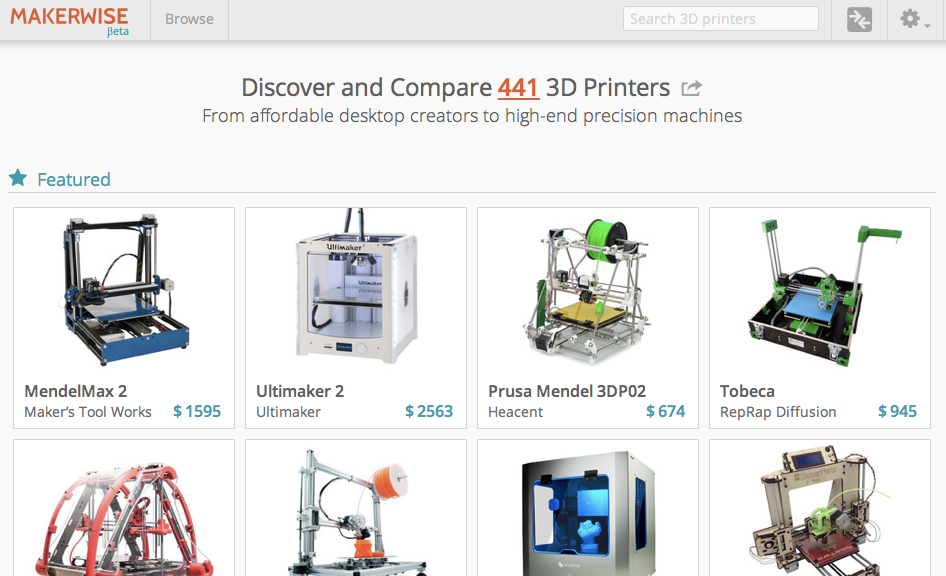
In the past year, since Labrigger’s first post on 3D printing (aka rapid prototyping), the industry has matured dramatically. Most importantly, companies including Shapeways and Ponoko, have opened what used to be a specialist market, up to more mainstream customers, including hobbyists and small operations.
Sculpteo is a new addition. It is tightly linked with 3Dvia, which offers free software for 3D design and an online design sharing system.
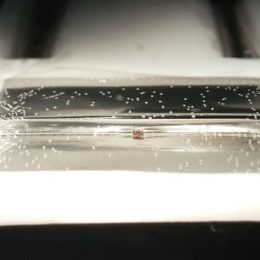
With affordable rates, lots of material options (including metal, pictured above), and decent turnaround times, there’s a lot going for this technology. That said, I wouldn’t recommend getting your own machine. You’re not going to save a ton of time in turn around, all the maintenance and troubleshooting has to be done in house, and you’ll never have as many material options and process options as you can get from a 3D print shop.
3D printing offers very little in terms of economy of scale. This encourages customization, but sometimes you might want 1000 identical parts and not have to pay $20 for each little plastic part. Especially when those parts are disposable or consumable. In that case, limited run injection molding might be the ticket (after you settle on a final design, using 3D printed prototypes). Protomold does production runs from 10-10,000 and prices start around $1500. Turnaround is about 3 weeks.
Ponoko is a laser cutting service that recently started offering 3D printing. Their 3D services is similar to what Shapeways offers. It’s nice to see a pair of high quality competitors in this field. Neither one is as technically oriented as Quickparts, but they have a selection of materials, low prices, and fast turnaround.
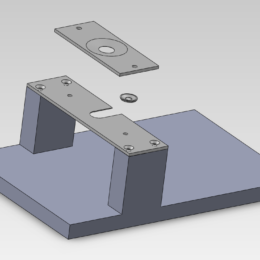
I use SolidWorks to design custom parts for my rigs. Many times, these parts mate with existing Thorlabs parts. Fortunately, Thorlabs offers SolidWorks files that can be directly added to an assembly to ensure everything fits. It’s easy to fix relationships between parts (e.g., force a part to slide along posts in the cage system), and determine how everything fits together.
In the screenshot above, some of you probably recognize the Thorlabs cubes, like Darcy was talking about recently, which are so handy. Here, I use one as a enclosure for a dichroic flipper (custom designed in SolidWorks, then 3D printed), and another in the collection pathway.
Thorlabs recently broke ground on a new corporate headquarters in New Jersey. They’re clearly doing a lot of things right. I like their easy-to-navigate website, fast shipping, and how they share a lot of technical information on their parts (including the SolidWorks files of the parts as mentioned in this post).
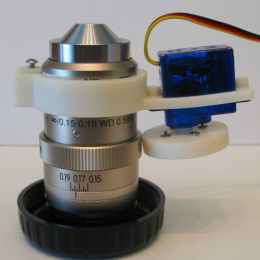
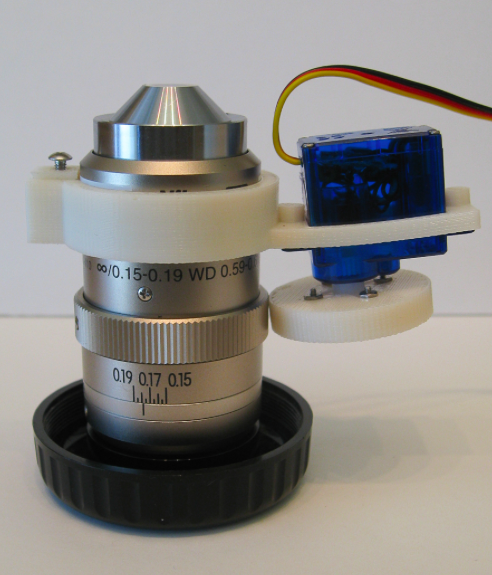
The DiRisi Lab at UCSF shares their STL files for 3D printing some equipment. There’s a pipette holder, several gel combs, an objective case, and more. You can print your own with your favorite 3D printing firm (Shapeways?), with or without modifications. (link)
Shapeways now has a sample pack you can order to help you pick a process and material for your 3D printed object. It’s $30, but comes with a $25 voucher for your next Shapeways order. You can test the materials for rigidity and flexibility, or try tapping a few holes in them to see how it holds a thread.
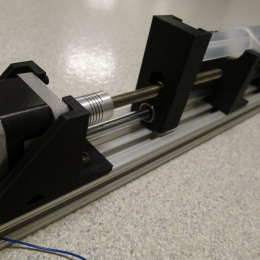
Shapeways is geared towards the arts and crafts crowd, so they don’t offer the professional options a place like Quickparts does. But they do offer very competitive prices. In particular, if you want to build something big, it’s hard to compete with them on price (most of their materials are < $3.00 per cm3). Pictured above is user Alun’s y-motor mount.
Your first stop should be their materials comparison page to see if they offer a material that meets your tolerances and specifications. In particular, they don’t do anything better than 0.2 mm, which could be a dealbreaker for some applications. But keep in mind that you can design it to be cleaned up in a second step. For example, you can have a large structural piece made and then drill the precision holes yourself or have your local workshop do it for you.
Delivery time is just okay, 1.5-2 weeks for most processes. But shipping is free!
For example, here’s an adapter by tones3-d for using two digital cameras as a stereo macroscope (version 3.5). It’s a completely custom part for less than $100. Making this with optomechanics parts would be way more expensive, bulky, and might still require some custom parts. This is a great application for 3D printing.
When you want a custom plastic piece fast (and the design isn’t amenable to being made out of multiple flat laser cut pieces) then 3D printing is the way to go.
3D printing is actually a whole family of different processes: SLS, SLA, FDM, etc. They’re described in detail elsewhere, Wikipedia can get you started. The following steps are general for all of the different processes.
1. Find a 3D printing firm.
Just search on the Internet using the terms “3D printing” or “rapid prototyping”. Contact them, tell them who you are and that you’re looking for a 3D printing firm for your small, one-off jobs. Also ask if they’ll work from sketches or simple drawings. Most places are happy to take this kind of work, but in rare cases a firm will be more industrially focussed. We’ve used Quickparts, and have been quite pleased.
2. Pick a material.
There are a lot of different materials and processes to chose from. Some variables you’ll want to consider are: rigidity, resolution, and strength. Some materials are quite rigid, but have a tendency to crack and shatter under stress. Other materials will bend and flex, but not break. Some materials can hold a tapped hole, others will shatter if you try to drill into them. The best thing is to get a sample kit to help you decide.
3. Design your part.
Unlike laser cutting, for 3D printing, you need a real CAD file for the 3D printing firm. There are a bunch to chose from, here are some key options you should consider: SolidWorks: Pro-level stuff. Educational discounts available. You probably won’t outgrow this program. SketchUp: From Google. Basic version is free. There are a lot of tutorials online. The full version still isn’t as professional as SolidWorks. Alibre: Recommended by Quickparts. Read the rest of this entry »