Posts archived in Hardware

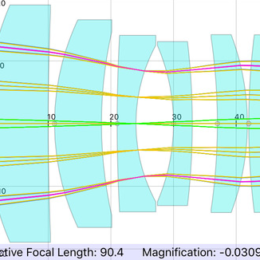
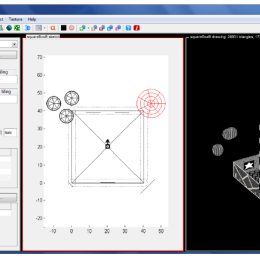
Thorlabs and Newport have offered 3D models of their products for a long time. However, they’re typically in formats for expensive programs like SolidWorks and AutoCAD. In the past year or two, Newport has been slowly adding to their library of Google SketchUp models.

I still prefer SolidWorks, but I’m optimistic that I’ll eventually switch to SketchUp. Regardless, it’s nice to see a company supporting free tools.

0 comments

Competition

Like many of you, I went to monster truck show last weekend.

The competition reminded me MATLAB’s new thing: Cody.

It’s a bunch of problems posed as MATLAB coding tasks. For example:

Find the mean of each consecutive pair of numbers in the input row vector. For example,

x=[1 2 3] —-> y = [1.5 2.5]

x=[100 0 0 0 100] —-> y = [50 0 0 50]

To solve the problem, you write a MATLAB program that performs that input-output transformation. Of the correct answers, the shortest program wins. Answers are automatically checked for correctness and there is a graphic display of length and correctness of submitted answers:

At the very least, I think this is a clever tool for learning MATLAB. Working through exercises is pretty dry. This is effectively the same thing, but the competetion aspect is energizing. Most problems are locked until you solve easier ones. You can submit your own problems too. So this could be a sneaky way to crowd source your own work.

Long live competion.

In two previous posts I shared some MATLAB code to help design collection optics in 2p scopes.
Collection optics for 2p scopes, post 1
Collection optics for 2p scopes, post 2
It was just brought to my attention that I didn’t include the command locateVal in the code I posted. It’s a very simple little shortcut I use. Here it is:

function [pos difference] = locateVal(val,data)
[difference pos] = min(abs(data - val));


Yes, you could have guessed that. But I wanted to correct the oversight.

On the topic of iOS apps, MATLAB has released v3.0 of their mobile app. The most apparent changes are UI usability improvements.
(MATLAB link, App Store link)

Zeiss released an iOS app for viewing spectra.

No Android version yet, but Johannes Amon said:

of course I can’t tell you any specifics but at the moment we are evaluating a native port to
android ICS 4.0. at the end it always comes down to budget so it would help immensely if
you’d order some confocals right now ^^

just joking, gonna keep you posted on this project

It uses George McNamara’s Pubspectra database. (link)

Links: Zeiss, AppStore

This site has a nice big list of software for visual psychophysics. It’s very extensive and includes free as well as commercial solutions: visual stimuli, analysis, teaching, hardware, and more.

Virtual desktops are used to manage screen real estate. A user might have a bunch of web browsers open on the desktop, and then hit a key to switch to a nice clean desktop (the web browsing windows are kept in memory). This second desktop can then be filled with image analysis program windows. A keystroke later, and the user is back to the first desktop with the web browser windows, just as they left them.

It’s good for organizing work, which is good for productivity.

If you’ve used OS X sometime in the past 5 years, you might have become accustomed to using Spaces (or the current Mission Control). And those of you who don’t use OS X but have used any varient of Unix sometime in the past… well, just about ever, then you also may have become accustomed to using virtual desktops. Actually, the Amiga 1000 was the first to implement this feature, in 1985.

Somehow, Windows has managed to make it 2012 without a built-in function to support virtual desktops. Unfortuantely, many of the third party alternatives are not all that great, and some are even hardware dependent (e.g., Nvidia’s nView). But there are a couple of free programs that are worth recommending.

mdesktop is what I use. It’s a small, unobtrusive program with customizable keyboard shortcuts.

Desktops is available from Microsoft. Advantage over mdesktop? It offers a little preview of the active desktops when you click on the icon, in case you’re not sure which desktop you want to switch to. However, it also has several disadvantages compared to mdesktop. It’s slower to switch desktops, it changes graphics mode on alternative desktops (Aero is off), and it offers no way to quit the application (you have to kill the process manually and it’s hidden from the active application list).

I’m optimistic that Windows 8 will finally have a good virtual desktop manager. But I don’t have a good reason to think that. I just think Metro looks nice.

On the topic of MATLAB learning materials (covered previously here and lots more MATLAB stuff here), MIT has some online courses freely available. Here’s an “aggressively gentle” intro to MATLAB, and some more MATLAB resources. (Hat tip to MH)

Also here’s a link from an older post on xcorr (Patrick Mineault’s excellent blog). This course webpage has a bunch of examples in MATLAB code. They’re great for simultaneously learning MATLAB and visual neuroscience.

ScanImage is an excellent software package for controlling 2p scopes. It’s free and open source. It’s been actively developed and released to the public since its inception. RIght now they personnel involved are trying to renew their funding. To help keep this resource actively developed and free, please fill out their survey. It’s very, very short. Don’t take the resource for granted. It takes a lot of salaried time to keep the development going and adding in new features.

By the way, ScanImage 3.8 (new features) and 4.0 (for ThorLabs scopes) are out now (3.5 and 3.6 are no longer supported; 3.7.1 is the current stable release) (link). If you haven’t already tried a new version of ScanImage out, you should. It doesn’t take too long and the feedback is very helpful. Don’t assume that everyone else is already sending in the same feedback.

A colleague once told me: “in MATLAB, drawing a raster plot is a trivial, one line command”. True, but then you spend another 10 lines of code trying to make it not look like complete crap. Which is both time consuming and futile. In the end, you know you’re going to be spending half a day with Adobe Illustrator to fix it. But it does all start with one line of code.

Here’s some code to draw simple, one line raster plots:

function raster(in)
if size(in,1) > size(in,2)
    in=in';
end
axis([0 max(in)+1 -1 2])
plot([in;in],[ones(size(in));zeros(size(in))],'k-')
set(gca,'TickDir','out') % draw the tick marks on the outside
set(gca,'YTick', []) % don't draw y-axis ticks
set(gca,'PlotBoxAspectRatio',[1 0.05 1]) % short and wide
set(gca,'Color',get(gcf,'Color')) % match figure background
set(gca,'YColor',get(gcf,'Color')) % hide the y axis
box off

As an aside…

Looking for a wry take on MATLAB’s shortcomings from an anonymous neuroscientist? Try Abandon MATLAB. This blog’s posts include these gems:
Matlab doesn’t know how to draw one ball out of an urn containing one ball
The Mathworks don’t even know how to look up functions in their own global namespace
And this image (source):