Posts tagged with gadgets

0 comments

Nice enclosures

Most project enclosures are cheap and ugly. I challenge anyone to find something from PacTec that Dieter Rams would want in his house.

The following suggestions might not be Rams-worthy either, but they’re a step in the right direction.

Metcase
This company makes some decent enclosures (e.g., rackmount cases, nice knobs too)

PC cases
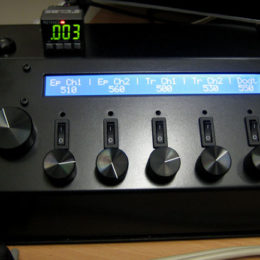
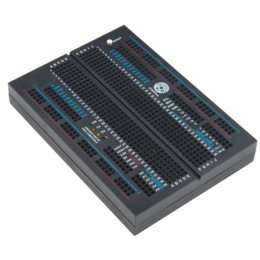
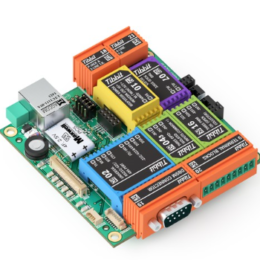
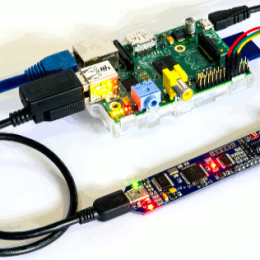
Recently I used some PC cases as project enclosures and was pleased with the results. For example, these fanless mini-ITX cases (pictured above) don’t have any drive bays, include some LEDs you can use to indicate anything, and aren’t terribly expensive.

HD enclosures
For something smaller, external HD enclosures aren’t a bad bet.

Previously on Labrigger…
Beautiful enclosure
Project enclosures

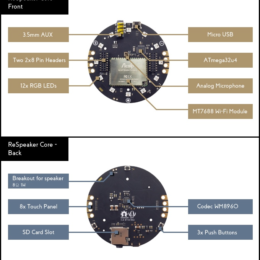
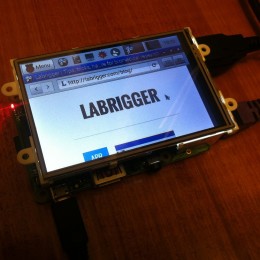
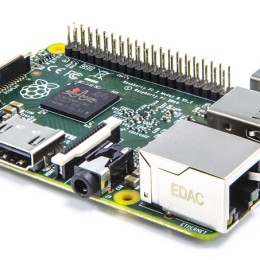
Both the Arduino and the Raspberry Pi (pictured above) are stand-alone computing devices, have an array of expansion boards available, open source software, and either one can be purchased for about $30. However, the Arduino is a microcontroller, while the the Raspberry Pi is a full, modern computer– not as powerful as a laptop, but in some ways similar to a first generation Xbox.

Raspberry Pi homepage
Raspberry Pi wiki
Raspberry Pi expansion boards

The Open Hardware wave keeps rolling: MySpectral recently announced the Spectrino – an Arduino based spectrometer. It’s as barebones as spectrometers go, with the small enclosure containing a diffraction grating, CCD light sensor and an Arduino. Hooked up to a computer (PC, Mac, Linux) via a USB cable it is controlled and readout by a Processing based simple spectroscopy application. Given the open design, users will be able to adapt this or build their own applications for read out and analysis tailored exactly to their needs.

Obviously the Spectrino won’t be able to compete with OceanOptics or Oriel USB spectrometers in terms of speed or resolution (we’re talking 2 to 4 nm at 8-bit pixel depth here). But given at least my standard applications (Which LED was this? Which filter was that?), it’s an ideal addition to the lab bench. Especially given the expected significantly lower price tag.

Information is still a bit scarce and at the moment they only have a pre-order program running, but the idea is straight forward and they are already preparing to send a Spectrino into orbit, so we have good reasons to assume this is beyond vaporware.

Post by Christian Wilms.

Light field imaging is a very interesting approach to imaging. The idea is to use an array of microlenses in order to capture light coming from many different angles. By storing this data, it is possible to bring different focal planes into focus in post-processing offline. It has been implemented for wide-field microscopy.

The Stanford Computer Graphics Laboratory has released some Mac OSX software for trying this yourself. Their website includes information on how to build the imaging rig out of Thorlabs parts. It’s open source (GNU).

It’s not new technology. In it’s current form it dates back to at least the 1990′s. However, just recently (started shipping in February) it has been commercialized into a consumer camera by Lytro, a company started by an alumnus of the Stanford group.

Below is an example of output from the Lytro camera. Single click on a part of the image to bring it into sharp focus.

Labrigger is currently waiting for their Lytro camera to arrive.

0 comments

Microbehunter

Oliver Kim puts out a nice magazine called Microbehunter. It’s a great resource for microscope nerds. I’ve listed a few blog articles below, but actually, the full PDF issues are where most of the meat is. Lots of in depth, well-written articles on the history of microscope technology, and, of course, microbes. Highly recommended.

Connecting a camera to a microscope (very thorough)
Cover glass thickness and resolution
Setting up a home lab for microscopy

I thought I needed a $30 multimeter. But then I saw that for just a few bucks more I could get some more features. This process repeated itself until I ended up buying a $98 multimeter. But that’s still relatively inexpensive.

One feature I’ve found myself using a lot is the IR temperature measurement. It works like a laser pointer and is accurate enough for most of my needs. This way I can check the temperature of a homeothermic blanket, a set of galvos, or anything else. And I don’t have to awkwardly place a temperature probe on the surface (although the meter has that feature too, of course).

I highly recommend buying a meter with this functionality.

Thanks go to commenter ybot for this one. They pointed out this handy iPhone-to-Microscope mount iPhone case.

From the pictures, it looks like the prototype was printed on a Makerbot, which isn’t terribly high resolution as 3D printing goes. Hopefully the files can be printed as-is by Quickparts, Shapeworks, or Ponoko and still fit correctly. I double check the measurements, particularly for the eye pieces, before I sent this out. Regardless, this is a great idea.

By the way, there’s also this similar device. It’s not as elegant as the above iphone case, but it a bit more flexible and should work with an array of different eye piece sizes.

Perhaps the best-looking one right now is the SkyLight, which was funded via Kickstarter in January. It looks thoughtfully engineered, and can accomodate and array of eye piece sizes and many different smartphones.

This is an iOS/iPhone app that uses the camera to optically recognize resistor color code bands. I find this interesting because I tried writing something like this one time. I couldn’t sleep at 3am after a London-Tokyo flight. I wanted to make an augmented reality app that would let the user scan the camera over a bunch of resistors or a circuit and the resistor values would be overlaid on each one. About 5 minutes into coding, I realized that it’s a significant image segmentation problem, with a non-trivial color recognition problem given different white balances, contrasts, and colors of paint. That wasn’t going to help me sleep.

The author of Resistor Photo ID simply makes the user take photographs in a stereotyped way with particular kind of background, thus limiting the variability. The program also makes the user do the image segmentation by dragging little ROIs to cover the color bands. These are clever compromises, and in the final analysis, it works. Not without errors, but it works.

Yes, you’re right, it takes almost no time to simply measure a resistor using a multimeter. You’re very clever. But what if the resistor is already in a circuit, and thus cannot be measured in isolation? Yes, yes, like you, I also enjoy the mild, learned synesthesia that comes with internalizing the resistor color code. But what if, like this author, you’re colorblind?

Colorblind-proof two-color scheme for co-localization
Daltonize your figures for the colorblind audience members

On the topic of iOS apps, MATLAB has released v3.0 of their mobile app. The most apparent changes are UI usability improvements.
(MATLAB link, App Store link)

Sensapex is the new kid on the block for micromanipulators, and theirs have an ultra small footprint with 20mm of travel on 3 axes. Here are some pictures of one of the first production runs:

To change pipettes, the manipulators have a tilt-back action.

The tilt-back action should help conserve space in crowded setups, but the arc might not be clear. Some sort of sliding back and/or twisting motion might be needed.

They’re very small. Check out the Axon headstage next to them.

It’s really built to be a pipette holder-type manipulator rather than a larger, headstage holder-type manipulator. They have magnetic and bolt-on headstage mounting options for Axon, Heka, and npi.

They have a “high load” version that should handle 200g (the MultiClamp headstage is about 90g). So it should be possible to mount about any headstage directly on the manipulator. Having the headstage too far away from the pipette can cause noise problems, so this might be what people want to look for.

Here’s the controller:

They’re also considering releasing the user interface as open source. This is from Mikko, the CEO:

We are using PC-software in the R&D and testing, but we don’t yet have computer interface for the customers. We have had some requests for it though so it is in our R&D plan. However, we are happy to provide drivers, function calls etc. if someone wants to implement control to their existing software (Matlab, C or Labview based). I’ve been thinking of going for the open-source approach for the user-interface software.