Posts tagged with analysis

On the topic of iOS apps, MATLAB has released v3.0 of their mobile app. The most apparent changes are UI usability improvements.
(MATLAB link, App Store link)

This site has a nice big list of software for visual psychophysics. It’s very extensive and includes free as well as commercial solutions: visual stimuli, analysis, teaching, hardware, and more.

0 comments

Visualizations

Visual.ly recently posted a list of the top visualizations of 2011. This is a map of the world in which Twitter tweets are plotted using their GeoIP info and color-coded based on language. Looks cool, but there is no message. I could have guessed how this map would look. Germans tweet in German, Brazilians tweet in Portuguese, and so on. Big urban centers have a lot of tweets. Developing economic areas and sparsely populated regions don’t. I don’t see anything interesting. And so many of the colors are difficult to distinguish, if there is any new information, it’s difficult to figure out. They should have added more text labels on the map to identify languages near where they are found. Really? This is #1 on the list?

The field of data visualization is not well defined. The comeliness of a visualization is important, but if there is nothing revealed by the visualization– no story told– then it fails. There seems to be quite a number of people who enjoy studying data visualization who are almost purely interested in the aesthetics. This makes it difficult to really get good advice. A recent book review in Science by Robert Kosara seems to be wrestling with this issue. Two books are covered, Yau’s Visualize This, and Lima’s Visual Complexity. The former is a practical guide to creating effective visualizations, the latter is a collection of breath takingly beautiful works of art with no apparent message. Kosara notes that Lima “never attempts to explain what viewers can learn from any of the examples.”

Tufte has already said much of what needs to be said about data visualization. For example: “Have a message.” “No chart junk.” “Maximize the data-ink ratio.” Tufte himself said of Lima’s book, “One useful question to ask of each image is: What did I learn from this, in addition to seeing an elegant architecture?”

Yau does an excellent job following Tufte’s principles. He has a website that is worth checking out, flowingdata.com. And don’t forget Tufte’s own website. Junk Charts is good too. It just posted this holiday Venn diagram:

0 comments

NEURON + Python in OSX

Post by Christoph Schmidt-Hieber

+

Here are some relatively pain-free instructions to get NEURON to run with Python support on OS X.

1. Install XCode 3.x. XCode 4 will not work (*). You can get it from an OS X
installation CD/DVD, or from the Apple Developer Connection (requires an account).

2. Install the free version of the Enthought Python Distribution (version 7.1.1, 32 bit) from here.

3. Install Eilif Muller’s NEURON package from here.

Use “Mac OS X >=10.5 NEURON 7.1 Installer built against EPD 7.1.1, build 1 (beta/testing)”

4. Test from a terminal (located in Applications/Utilities):

ipython -pylab

Then, at the ipython command prompt ([1]:), type:

from neuron import gui

Which should bring up NEURON’s main menu.

MATLAB Mobile is a way to use MATLAB from an iOS device. It’s cute, but a bit odd, because you used to need to have MATLAB running on your own server in order to take advantage of it. With the newly released version 2.0, you now have the option of connecting to one of MathWorks’ servers, though you’ll still need a current MATLAB license.

The command line looks familiar, and figure display works fine, but figure interaction and GUIs are not supported. They’re working on a way to upload your own files to the cloud server, but that’s not implemented just yet. Still, it’s an interesting tool.

I already use MATLAB via Remote Desktop about 99% of the time that I’m doing analysis. The interaction is not as snappy as sitting right at the computer, but it’s an acceptable price to pay to be able to use the same hardware wherever I am. I’m curious to know whether MathWorks might extend this service in the future. I might pay to have access to their servers if they’re well maintained and can crunch data faster than I can on my own computers.

More science apps

Last Friday afternoon to Saturday morning I had a marathon data analysis session. It was almost completely in Igor Pro. I used TaroTools so heavily that I dropped Taro another thank you note. It’s really saved me so much programming and analysis time. I highly recommend checking it out. Prof. Ishikawa keeps it up to date (last update, May 2011), so it’s not abandonware.

The last time Labrigger covered Igor Pro software for electrophysiology, TaroTools, Neuromatic (last update was in 2008, but it has aged fine and is still very handy), and PPT were all mentioned. However, there weren’t any PPT screenshots, nor was there much information. In this post, I’ll highlight it in a bit more detail.

PPT (Patcher’s Power Tools) was developed in Neher’s lab (download, about). It’s development has perhaps slowed, but is still regularly updated (last update was March 2011). After installing, it adds a PPT menu to the Igor menu bar.

As you can see, it’s built to load in HEKA data files, but the later entries are very general purpose. “Wave Statistics”, despite the similarity in name, is actually not like the native command WaveStats at all. It’s actually a very fast and easy-to-use wave average function. Feed in some waves, and get the mean, SD, and SEM out.

“Plot Waves” plots selected waves, but instead of Igor Pro’s default plotting with all the waves sharing the same y-axis, each wave is plotted on a separate y-axis, stacked vertically, against the same x-axis. “Slim Waves” downsamples waves, which I’ve learned is very important for making nice looking figures. If you have several seconds of data sampled at 50 kHz and then shrink it down to just an inch wide, you quickly run into resolution limits and data points that should be right next to each other end up on top of each other. Here’s what it looks like:

The top trace is at full resolution: 50 kHz sampling. The trace below it is down sampled 10-fold. Note that the non-downsampled trace looks strange and hairy. Now zoom in some more and select the traces.

Note that the non-downsampled trace (top) has sample points sharing the same x-coordinate. This is because we’ve run into resolution limits. The downsampled trace looks fine. Downsampling is important for figure presentation not only because it makes the traces look nicer, but it makes the PDFs load faster too. If you ever grow annoyed at how long it takes your PDF reader to draw a figure with traces, it’s because the authors didn’t down sample when they should have. I’ve seen PDFs from journals that are over 30MB. BTW- the traces can easily be extracted from the PDF. So in way, it’s an inadvertent combination of publishing and data-sharing.

The next four entries on the PPT menu are all very handy calculators.

A calculator for reversal potentials.

And here’s one for computing the liquid junction potential.

There’s more too. In addition to the calcium imaging tools seen in the PPT menu above, there are also utilities for Boltzmann fits, dose-response curves, Fura calibration, and more. All in all, this is a really handy set of utilities to have around. Even if you don’t typically use Igor Pro for analysis, PPT, NeuroMatic, and TaroTools may be handy enough to justify having a copy.

Baudline software (Linux/OSX) is free software for analyzing the spectral components of signals. It’s really well-made and has a lot of features. This can be useful for analyzing LFPs, audio recordings, or even tracking down the noise on a rig. Xcorr uses Baudline to view long neural recordings.

There are several MATLAB-related items to post, but individually they don’t amount to much, so I’ll just put them all together.

Outside of MATLAB Central, there are a lot of places to find useful MATLAB code and commentary. In particular, some labs have excellently curated MATLAB toolboxes and are willing to share with their friends. So ask around. No need to reinvent the wheel.

As far as what’s publicly available, I’ve stumbled across a couple that have been handy. Blogger Stinkpot writes very brief notes on MATLAB sporadically. Items include Moving the X-axis to the top of a plot and Inserting a MATLAB matrix in to LaTeX.

Peter Acklam offers a nicely organized list of MATLAB utilities. Although some of the functions are quite old and are now included in MATLAB natively (e.g. the Kronecker tensor product), others are fairly unique and may be useful to you. There are also somewhat obscure things like trigonometric functions using gradians (e.g. cosgrad).

Xcorr has had a couple of excellent posts recently on some perhaps obscure MATLAB functions. There is an excellent explanation and demo for each function. Highly recommended. Xcorr’s coverage of memmapfile and bsxfun.

Finally, you might be interested in GPU computing with MATLAB. AccelerEyes‘ Libjacket is finally 1.0 (link). This uses NVIDIA hardware to accelerate MATLAB computations. The graph at the top of this post compares the performance of their software running on an NVIDIA Tesla C2050 to an alternative, CPU-based acceleration technology (Intel’s Math Kernel Library). Academic research has found similar advantages (link).

A paper on data organization just came out in Nature Methods (Millard et al. 2011, commentary by Swedlow et al.). They believe, as do I, that using XML schema to organize data is a good way to simplify automated analysis. For the primary container, they use HDF5. Fun fact for all the MATLAB users in the audience (from Tim at Imperial College):

The .mat file format is simply an HDF5 file with a pointless header prepended.

They call the XML metadata+HDF5 data combos “SDCubes”, for Semantically typed Data hyperCubes. Why cubes? That suggests that they are the same size along all axes, which they probably aren’t. If you don’t like hyperrectangle, you can use orthotope. One point that is lost in the figure I put above is the idea that the axes do not have to be continuous. There can be gaps and jumps. There can also be piles of data that all share one point on an axis, if that suits the data.

I like this approach because it is very general and simple. It consists of two file formats that are already being used by many researchers. In a way, the authors didn’t “create” anything. Hopefully this paper will give the strategy some added credibility and help to standardize it. Then people can concentrate on developing tools for working with data in this system, rather than developing new formats all the time.

Xcorr has some nice posts on coding, Plexon systems, analysis, and whatnot. It was just added to the Recommended Blogs section on the right. Some example posts:
A Plexon C++ API on 64-bit Linux
Using WinBUGS to track RFs
Rotating a histogram in MATLAB

They also share bits of advice such as this gem regarding spike sorting:

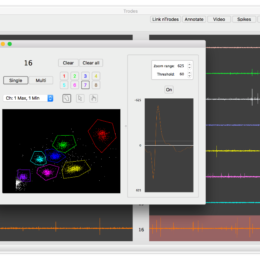
If you’re going to run a clustering algorithm then for the love of Christ interpolate your waveforms and align them (see chapter 5, Sahani ’99).