Posts tagged with electrophysiology

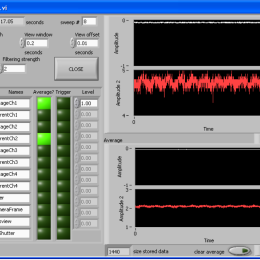
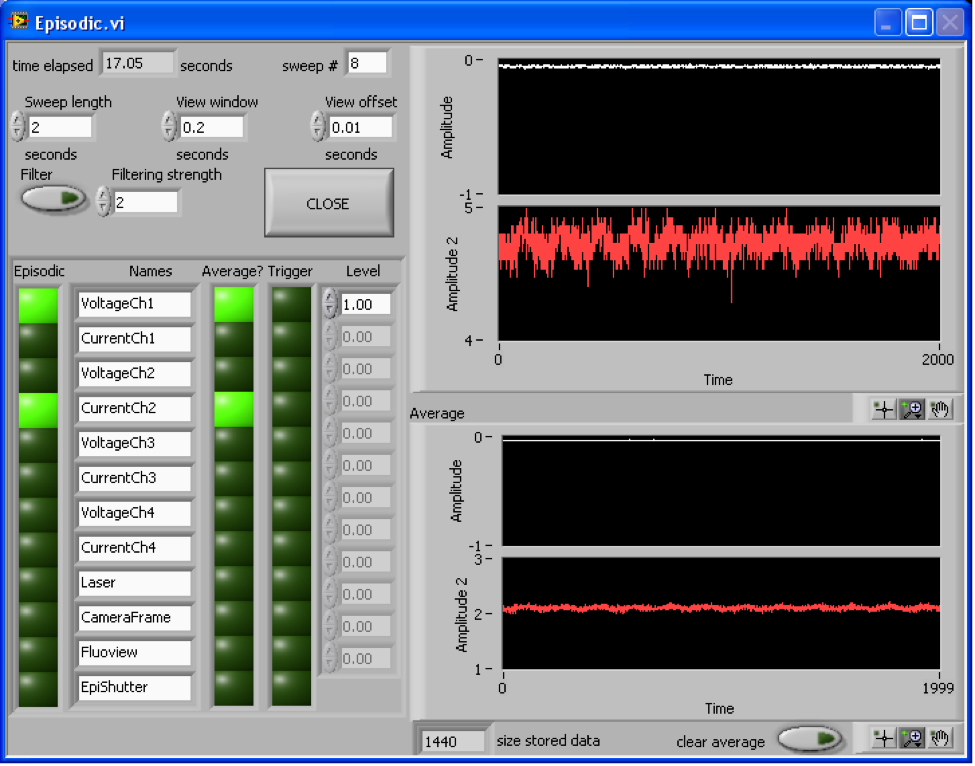
Unenthusiastic about spending thousands of dollars on electrophysiology software like pCLAMP? Try the free and open source Strathclyde Electrophysiology Software. It’s a suite of programs for recording and analyzing signals from intracellular electrophysiology experiments. It’s for Windows. Many standard DAQs work right out of the box. Encouragingly, it has been updated routinely since 1997, including as recently as Jan 16, 2013.

The MATLAB-based Ephus, from the Svoboda lab, is another option. There are others as well (here’s a list), but these are the two open source, free options that seem to be regularly updated. Let me know if there are others.

Roger Tsien’s lab recently published the new generation voltage sensitive dye they were presenting at SfN: VoltageFluors. As often when then Tsien Lab takes on a new field, they start by taking a completely new approach. Instead of designing an indicator based on the previously used voltage detection mechanisms – Stark shift for electrochromic dyes or FRET for hybrid voltage sensors – they use a mechanism found in most commonly used calcium indicator dyes, such as Fluo-4 and OGB-1: photo-induced electron transfer (PET).

In PET an excited fluorophore (e.g. Fluorescein in Calcium Green) is quenched by transfer of an electron from a donor group (e.g. BAPTA in Calcium Green). In calcium indicators, this quenching is only possible if the “ionophore” (BAPTA) has not bound a calcium ion. Binding of calcium shifts the electronic energy levels, making PET unfavorable, ultimately leading to increase in fluorescence. In place of BAPTA, VoltageFluors use an electron rich group connected to the fluorophore via a “molecular wire”. Once the fluorophore is excited, an electron is transfered via the “wire” to the fluorophore, quenching the fluorescence. But (and this is the important part), the electron can only be transfered along a correctly oriented voltage gradient: if the electron donor is in a more negative environment than the fluoropore, electrons can “flow” along the “wire”, quenching via PET occurs, the fluorophore emits dimly. If the voltage gradient is inverted, PET becomes unfavorable leading to an unquenching of the fluorophore, the dye emits brightly.

The advantage of using PET is that the signal to noise ratio is much higher than for both electrochromic dyes and hybrid sensors. Also in VoltageFluors capacitive loading (a big problem with hybrid sensors) doesn’t occur. A further advantage is that VoltageFluors don’t appear to be (photo)toxic, a big problem that has made the use of voltage sensitive dyes difficult in many situations.

No doubt, VoltageFluors are a first generation indicator with lots of room for improvement — this is of course both a strength and a weakness. I for one can’t wait for them to become commercially available.

Post by Christian Wilms. Second figure is also by CW.

OpenElectrophy is a somewhat mature, actively developed, open source program for analyzing data from multielectrode recordings. It makes heavy use of Python and SQL and is developed by a team of French researchers including Samuel Garcia, Nicolas Fourcaud-Trocmé, Stéphane Gaétan Roux, and Christophe Pouzat.

It handles many file formats.

And has a rich set of tools for spike sorting.

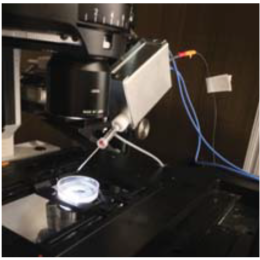
Sensapex is the new kid on the block for micromanipulators, and theirs have an ultra small footprint with 20mm of travel on 3 axes. Here are some pictures of one of the first production runs:

To change pipettes, the manipulators have a tilt-back action.

The tilt-back action should help conserve space in crowded setups, but the arc might not be clear. Some sort of sliding back and/or twisting motion might be needed.

They’re very small. Check out the Axon headstage next to them.

It’s really built to be a pipette holder-type manipulator rather than a larger, headstage holder-type manipulator. They have magnetic and bolt-on headstage mounting options for Axon, Heka, and npi.

They have a “high load” version that should handle 200g (the MultiClamp headstage is about 90g). So it should be possible to mount about any headstage directly on the manipulator. Having the headstage too far away from the pipette can cause noise problems, so this might be what people want to look for.

Here’s the controller:

They’re also considering releasing the user interface as open source. This is from Mikko, the CEO:

We are using PC-software in the R&D and testing, but we don’t yet have computer interface for the customers. We have had some requests for it though so it is in our R&D plan. However, we are happy to provide drivers, function calls etc. if someone wants to implement control to their existing software (Matlab, C or Labview based). I’ve been thinking of going for the open-source approach for the user-interface software.

Last Friday afternoon to Saturday morning I had a marathon data analysis session. It was almost completely in Igor Pro. I used TaroTools so heavily that I dropped Taro another thank you note. It’s really saved me so much programming and analysis time. I highly recommend checking it out. Prof. Ishikawa keeps it up to date (last update, May 2011), so it’s not abandonware.

The last time Labrigger covered Igor Pro software for electrophysiology, TaroTools, Neuromatic (last update was in 2008, but it has aged fine and is still very handy), and PPT were all mentioned. However, there weren’t any PPT screenshots, nor was there much information. In this post, I’ll highlight it in a bit more detail.

PPT (Patcher’s Power Tools) was developed in Neher’s lab (download, about). It’s development has perhaps slowed, but is still regularly updated (last update was March 2011). After installing, it adds a PPT menu to the Igor menu bar.

As you can see, it’s built to load in HEKA data files, but the later entries are very general purpose. “Wave Statistics”, despite the similarity in name, is actually not like the native command WaveStats at all. It’s actually a very fast and easy-to-use wave average function. Feed in some waves, and get the mean, SD, and SEM out.

“Plot Waves” plots selected waves, but instead of Igor Pro’s default plotting with all the waves sharing the same y-axis, each wave is plotted on a separate y-axis, stacked vertically, against the same x-axis. “Slim Waves” downsamples waves, which I’ve learned is very important for making nice looking figures. If you have several seconds of data sampled at 50 kHz and then shrink it down to just an inch wide, you quickly run into resolution limits and data points that should be right next to each other end up on top of each other. Here’s what it looks like:

The top trace is at full resolution: 50 kHz sampling. The trace below it is down sampled 10-fold. Note that the non-downsampled trace looks strange and hairy. Now zoom in some more and select the traces.

Note that the non-downsampled trace (top) has sample points sharing the same x-coordinate. This is because we’ve run into resolution limits. The downsampled trace looks fine. Downsampling is important for figure presentation not only because it makes the traces look nicer, but it makes the PDFs load faster too. If you ever grow annoyed at how long it takes your PDF reader to draw a figure with traces, it’s because the authors didn’t down sample when they should have. I’ve seen PDFs from journals that are over 30MB. BTW- the traces can easily be extracted from the PDF. So in way, it’s an inadvertent combination of publishing and data-sharing.

The next four entries on the PPT menu are all very handy calculators.

A calculator for reversal potentials.

And here’s one for computing the liquid junction potential.

There’s more too. In addition to the calcium imaging tools seen in the PPT menu above, there are also utilities for Boltzmann fits, dose-response curves, Fura calibration, and more. All in all, this is a really handy set of utilities to have around. Even if you don’t typically use Igor Pro for analysis, PPT, NeuroMatic, and TaroTools may be handy enough to justify having a copy.

Xcorr has some nice posts on coding, Plexon systems, analysis, and whatnot. It was just added to the Recommended Blogs section on the right. Some example posts:
A Plexon C++ API on 64-bit Linux
Using WinBUGS to track RFs
Rotating a histogram in MATLAB

They also share bits of advice such as this gem regarding spike sorting:

If you’re going to run a clustering algorithm then for the love of Christ interpolate your waveforms and align them (see chapter 5, Sahani ’99).

1 comments

OpenOptogenetics

When Karl Deisseroth started publishing his work on Channelrhodopsin-2, he set up a website to share the resources, including plasmid information, protocols for expression systems, and hardware details. His site, optogenetics.org, is an excellent source. However, it is focused on Deisseroth lab information.

For a more broadly focused resource, Josh Siegle (Matt Wilson lab, MIT) and others have consolidated a great deal of information in wiki format at OpenOptogenetics.org. The wiki format is ideal for this sort of information since it is changing all the time, and the relevant personnel changes over time as well.

There’s already a good amount of information on the site, but there are several opportunities to contribute and fill in the gaps as well. I encourage you to pitch in.

Igor Pro is a data analysis environment specialized for 1D time series data. It has some nice features: it handles data scaling beautifully, it has good built-in help, it generates highly customized and high quality figures, and it’s relatively quick to prototype work flows. It can also be used for data acquisition and machine control. It’s quite popular among electrophysiologists, and I still use it myself.

Here are three free packages for Igor Pro that are handy for electrophysiology.

NeuroMatic

This is by Jason Rothman. It includes support for loading pClamp files, spike detection, event analysis, and all sorts of batch processing. It’s a very thorough kit of analysis tools. (link)

Taro Tools

Written by Taro Ishikawa, this is the best event analysis software I’ve ever used. I’ve used it for spikes, post synaptic potentials/currents, and other events. (link)

Power Patch Tools

Power Patch Tools is a nice suite of analysis tools including calculators for buffered calcium concentration and liquid-junction potential. (download)

Michael Hausser’s lab is having a single cell electroporation workshop in London November 1-2. (link)

The application deadline is Thursday, September 30, 2010.

This is just a quick list of manufacturers/vendors of multielectrode recording hardware, and their roots. Unsurprisingly, they were almost all started by neurophysiologists. It’s interesting how diverse they are, they each seem to have a niche. Some features available from various systems:
- Programmable online DSP processing
- Wireless multichannel recording
- Integrated animal tracking for place cells and/or behavior
- Specialized microdrives

Tucker-Davis Technologies (TDT) – Started by an auditory physiologist, Tim Tucker, from David M. Green’s lab.

Blackrock – Started in 2008 by Richard A. Normann, who also made the famous Utah array.

Plexon – One of the oldest on this list, it was started in 1983 by Harvey Wiggins, who got his start building devices for an auditory electrophysiology lab at the University of Texas.

Neuralynx – Started in 1993 by Casey Stengel.

Multichannel Systems – A German company, founded in 1996 by Andreas Moller and Karl-Heinz Boven.

RP Metrix – Started by Dima Rinberg, who is now at Janelia Farm. He works on olfaction.

Biosignal Group – Founded by Andre Fenton, who is now at NYU.

Axona – Started by Jim Donnett from the O’Keefe lab.

Neuronexus – The company that was spun out of the University of Michigan Ann Arbor’s famous electrode engineering program.

Triangle Biosystems
Alpha Omega Engineering
DataWave Technologies

My personal favorite is TDT: high quality electronics with powerful DSPs, mature software, and some of the best tech support I’ve encountered.

(Hat tip to MH)