Posts tagged with visual stimuli

By virtue of their small eyes, mice enjoy a large depth of field. In a classic experiment (buried in the methods section) Balkema and Pinto put +6, 0, and -7 diopter lenses in front of mouse eyes and measured no change in retinal ganglion cell receptive field sizes. Clearly there isn’t much of a need for accomodation with such depth of field, and indeed, an attempt to stain for ciliary accomodation muscles in mouse eyes came up with zip (ref). Therefore, visual stimuli can be placed over a large range of distances in front of mice and remain in focus.

Since everything is in focus, it’s possible to place a visual stimulus monitor right in front of a mouse and cover a large amount of visual space. However, since the monitor is flat rather than spherical, the image will appear distorted from the mouse’s point of view. For example, a circle with a 100-pixel diameter in the middle of the screen will look larger and more circular than a 100-pixel diameter circle at the top left of the screen.

It’s related to a simple fisheye lens distortion, like the photograph above, but a bit more complex since the monitor is tilted towards the animal. So we can’t apply a simple pincushion distortion (which is the inverse of a fisheye distortion) to correct for it. I’ve found that a straightforward approach is to simply model the monitor. At first, I thought this would be rather inelegant, but in practice, it’s very simple.

Here I offer some MATLAB code that applies a corrective distortion to visual stimuli to cancel out the distortion caused by using a flat monitor to cover a large range of visual angle. With this code, you can treat the X-Y coordinates of a source image as angles of azimuth and elevation. The corrective distortion will change the image so that horizontal lines are mapped to isoelevation lines and vertical lines are mapped to isoazimuth lines.

Step one is to generate a 3D model of the monitor using some measurements that are easy to take. In the image below, on the left we have mapped pixel locations on the monitor in Cartesian coordinates relative to the mouse’s eye. On the right, we have re-mapped these to spherical coordinates. Using this data, we will generate an interpolation that applies the distortion.

Step two is to apply the distortion using interpolation. Here are a couple of example corrective distortions. On the left is the source image, on the right is the image after the corrective distortion. The curved lines will look straight from the mouse’s point of view.

By the way, using similar code, you can check and see how the visual stimuli would appear to the mouse if it went uncorrected. Here are a couple of examples.

More Labrigger posts on visual stimuli

Click through to get the MATLAB code….
Read the rest of this entry »

This site has a nice big list of software for visual psychophysics. It’s very extensive and includes free as well as commercial solutions: visual stimuli, analysis, teaching, hardware, and more.

2 comments

RF spotter

On the topic of apps in scienceRFspotter is an iPad app for mapping receptive fields on the fly. It’s intended as a quick way to coarsely map a cell’s RF before moving on to other stages in an experiment.

It uses the iPad touchscreen to control the stimulus and can mirror the output via HDMI or VGA to a monitor or projector.

Nicolas explains its intended use thusly:

The ideal use of RFspotter is for localizing RFs which may be scattered across an area larger than that covered by your experimental display. Instead of moving your display around, connect your iPad-2 to a projector and use RFspotter to explore a region as large as that covered by the projector’s beam. Once a unit of interest has been spotted, move your experimental display to the optimal location and conduct your experiments.

It has a comprehensive set of parameters and should be able to stimulate pretty much any visually responsive cell you might happen across.

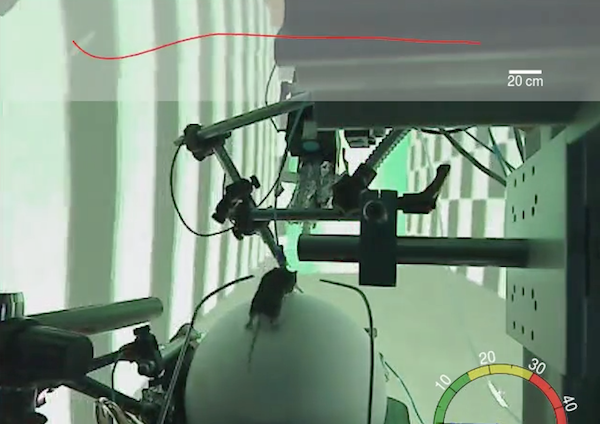
So you’re feeling pretty good about the rodent virtual reality system (Hölscher et al. 2005) you have up and running. You’ve got it all… the spherical treadmill with motion tracking feeding back into a 3D vector graphics program that projects a first person view onto a spherical screen. It’s a complex system to put together, no doubt. You deserve to feel proud.

Then Lukas Fischer comes along and destroys the grading curve.

Lukas’ blog is a detailed diary of his meticulous design and engineering work as he assembles his mouse VR rig. In addition to narrating the design and fabrication process, he draws raytraces for the optical projection in his CAD illustrations, like so:

His final work resembles the CAD drawings remarkably well.
Theory:

Reality:

He came up with an elegant solution for the spherical treadmill. After an apt dig at over-engineered approaches:

Different techniques have been used in the past to get a good cup for a 20cm or 8in ball. [...] UCL carved it out of a solid block of gold (or so I can only assume given the pricing)

Indeed, UCL’s expensive (about $5700) spherical treadmill, albeit nicely made, is no where near as efficient as Lukas’ solution: a polystyrene sphere inside another, slightly larger, polystyrene hemisphere with air jets. (link, link)

While on the Gnotero page (a Python app for accessing refs from Zotero, a Firefox plugin-based citation manager, in case you’re wondering), I noticed that the same group has an Online Gabor Patch Generator. Cool. Thanks, guys. But who uses this? Are there researchers who are savvy enough to put Gabor patches to use, but not savvy enough to bang out the 2-line MATLAB code for generating one*? Anyways, it also reminded me of some online calculators I came across a while ago.
Diffraction order angles calculator
Focused spot size calculator
There’s more at the same site. I appreciate these tools being around, but when do they get used? When I’m designing an optical system, I’m plotting a family of curves, modeling, and things like that. Not just plugging-and-chugging through one equation. By contrast, I thought this one was kind of fun: Excitations per molecule for 2p calculator

And on the topic of calculators, converting between light units can be annoying because light is measured in different ways. Some papers report total flux, others make point measurements… some normalize to the sensitivity of the eye (e.g., lux, lumen)… some calculate in terms of solid angle (radiant intensity)… etc. Here is a collection of calculators that is not comprehensive, but certainly helpful for converting.

*In case you’re curious, this is the two-line MATLAB code that generates a Gabor patch.


[xx,yy] = meshgrid(-halfSize:halfSize, -halfSize:halfSize);
patch = imrotate(exp(-((xx/gaussEnv).^2)-((yy/gaussEnv).^2)) .* sin((2*pi*spatialFreq).*xx),angle,'crop');
0 comments

Wireless

I recently returned from my private island in the Maldives. Like most of the inhabited islands, it has no physical links to other islands at all. It is only about 250 meters in diameter, so there isn’t much room for infrastructure. The island has its own desalination plant for water, an incinerator for waste disposal, a diesel generator for power, and daily boat shipments for food and supplies, including barrels of fuel for the generator. All telephone and internet connections are via satellite and radio, courtesy of a small tower in the center of the island. The tower needn’t be very tall, because there aren’t many structures over 10 meters in the middle of the Indian Ocean, as we are, and the next cell tower isn’t typically more than 20-30 miles away.

So the topic of this post is getting rid of physical links in rigs: wireless technology. Here are some quick ways to decrease the number of cables on your rig, including some custom solutions.

Wireless keyboard and mouse

An obvious place to start, there are many options. I prefer ones with batteries for two reasons: (1) charging cradles often fail to reliably make good electrical contact with the battery connectors, and (2) there is no emergency solution when the battery goes down to zero. By the way, for cases where I don’t need to do much typing at a computer– just enter a few commands once in a while– I like the small, Bluetooth Logitech DiNovo Mini keyboards for reducing clutter around the rig.

Monitor connection

WiDi isn’t quite prime time yet. But it’s available in some laptops. Hopefully there will be solutions for desktop computers soon. Wireless HDMI is another option to look at as well.

Network connection

If there isn’t a need to move large amounts of data to and from the net, then just put a wireless card in the computer and get rid of that cable.

Custom electronics

It’s never been easier to make your own wireless connections for your custom electronics. Here are some platforms to consider:

ZigBee/XBee

SparkFun, Adafruit, and other companies sell inexpensive kits and Arduino shields for the ZigBee specification. This is an RF-based (2.4 GHz), open protocol. Since it’s a mesh architecture, it’s perfect for implementations with several units, for example, a whole room full of behavior boxes.

Bluetooth

Bluetooth is the more widely known, and perhaps slightly more expensive, PAN. Again, many companies sell kits for it (e.g., SparkFun). Again, it is a 2.4 GHz RF-based protocol. It can be useful because many laptops, and even some desktop computer, already have Bluetooth modems installed, thus simplifying the implementation.

Nordic

The strength of Nordic’s system is ultra low power usage. It’s less popular for custom electronics than the two other RF-based solutions I mentioned above, but there are still kits available (e.g., SparkFun).

Infrared

For applications which might be sensitive to RF radiation, infrared wireless communication is a nice option. It’s basically line of sight, of course, so it’s more limited than RF, but it won’t interfere with most instrumentation. Even most imaging rigs should be fine around it. IRDA specifications are the most standard ones. However, if you don’t have a lot of data to transmit, and just want to send some simple commands, you can roll your own code pretty easily. This can be dirt cheap too, if you’re building off of some simple microcontrollers such as the Arduino. All you need are IR detectors (e.g., RadioShack) and IR LEDs (e.g., RadioShack), both of which are cheap. For example, to turn on a circuit could be a 700 ms pulse of IR, and to turn off a circuit could be a 250 ms pulse, and all the slave with the IR detector needs to do is to measure the pulse length.

0 comments

PsychoPy

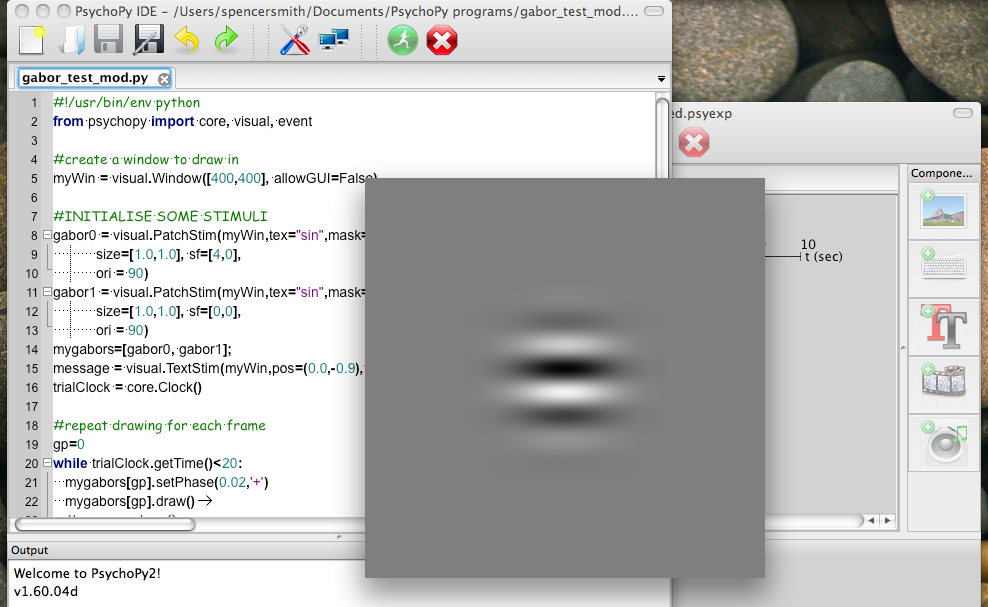
PsychoPy is worth checking out if you need any sort of visual stimulus or psychophysics software. It’s a very nice, extensive program by Jonathan Peirce of the University of Nottingham. As you can tell by the name, it uses Python for programming. So it is easy to integrate it into online analysis and any other Python software you might have running.

PsychoPy