Posts tagged with electronics

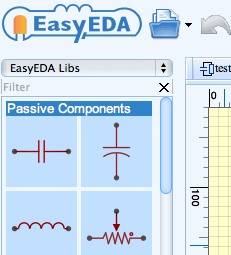
DrawSCH lets you draw schematics online, in a browser window, and then get JPGs or PNGs emailed to you. (link)

PDF export is in the works, but the SVG export works fine, if you want a vector file. Handy.

(via)

1 comments

iPad Oscilloscope

To revisit an earlier post on mini-oscilloscopes, how about an iPad oscilloscope?

It’s not available just yet, but Oscium will soon start selling the iMSO-104, a peripheral add-on for the iPad, iPhone, and iPod touch devices. Together with their custom app, it makes for a nice little oscilloscope for cheap. Bandwidth is just 5 MHz, but that’s fast enough for many applications. You can already download the app and get a feel for what it can do. Price: a hair under $300.

0 comments

Wireless

I recently returned from my private island in the Maldives. Like most of the inhabited islands, it has no physical links to other islands at all. It is only about 250 meters in diameter, so there isn’t much room for infrastructure. The island has its own desalination plant for water, an incinerator for waste disposal, a diesel generator for power, and daily boat shipments for food and supplies, including barrels of fuel for the generator. All telephone and internet connections are via satellite and radio, courtesy of a small tower in the center of the island. The tower needn’t be very tall, because there aren’t many structures over 10 meters in the middle of the Indian Ocean, as we are, and the next cell tower isn’t typically more than 20-30 miles away.

So the topic of this post is getting rid of physical links in rigs: wireless technology. Here are some quick ways to decrease the number of cables on your rig, including some custom solutions.

Wireless keyboard and mouse

An obvious place to start, there are many options. I prefer ones with batteries for two reasons: (1) charging cradles often fail to reliably make good electrical contact with the battery connectors, and (2) there is no emergency solution when the battery goes down to zero. By the way, for cases where I don’t need to do much typing at a computer– just enter a few commands once in a while– I like the small, Bluetooth Logitech DiNovo Mini keyboards for reducing clutter around the rig.

Monitor connection

WiDi isn’t quite prime time yet. But it’s available in some laptops. Hopefully there will be solutions for desktop computers soon. Wireless HDMI is another option to look at as well.

Network connection

If there isn’t a need to move large amounts of data to and from the net, then just put a wireless card in the computer and get rid of that cable.

Custom electronics

It’s never been easier to make your own wireless connections for your custom electronics. Here are some platforms to consider:

ZigBee/XBee

SparkFun, Adafruit, and other companies sell inexpensive kits and Arduino shields for the ZigBee specification. This is an RF-based (2.4 GHz), open protocol. Since it’s a mesh architecture, it’s perfect for implementations with several units, for example, a whole room full of behavior boxes.

Bluetooth

Bluetooth is the more widely known, and perhaps slightly more expensive, PAN. Again, many companies sell kits for it (e.g., SparkFun). Again, it is a 2.4 GHz RF-based protocol. It can be useful because many laptops, and even some desktop computer, already have Bluetooth modems installed, thus simplifying the implementation.

Nordic

The strength of Nordic’s system is ultra low power usage. It’s less popular for custom electronics than the two other RF-based solutions I mentioned above, but there are still kits available (e.g., SparkFun).

Infrared

For applications which might be sensitive to RF radiation, infrared wireless communication is a nice option. It’s basically line of sight, of course, so it’s more limited than RF, but it won’t interfere with most instrumentation. Even most imaging rigs should be fine around it. IRDA specifications are the most standard ones. However, if you don’t have a lot of data to transmit, and just want to send some simple commands, you can roll your own code pretty easily. This can be dirt cheap too, if you’re building off of some simple microcontrollers such as the Arduino. All you need are IR detectors (e.g., RadioShack) and IR LEDs (e.g., RadioShack), both of which are cheap. For example, to turn on a circuit could be a 700 ms pulse of IR, and to turn off a circuit could be a 250 ms pulse, and all the slave with the IR detector needs to do is to measure the pulse length.

Seeed Studio repurposed parts for cheap MP3 players and made a production miniature oscilloscope, the DSO nano. I like this small tool and bought one of the first iterations (see image above). It’s been so popular, it even has it’s own cheap knock-offs (e.g.).

They followed up with the handsome DSO nano v2.

Most recently, they have a beta run of the DSO Quad.

Also an option is the even smaller XMEGA Xprotolab.

Check out how small it is.

Most of these devices are quite slow, 2 MHz or less, but for many signals, that’s fine. Since they’re based on CPUs like the ARM Cortex M3, they have a lot of nice features, like storage, built-in test signals, and a configurable spectrum analyzer mode. Interestingly, they’re also open source, so you can modify the user interface as you see fit.

Hat tip to CW.

Arduino is a popular, cheap (around 25 USD), and open source microcontroller platform. We use them all over the lab. Students can learn to program them very quickly, they’re versatile, and there is a large user base with tutorials that make implementations easy. The programming environment is quite simple and is almost identical to Processing. In fact, there’s an Arduino plug-in for Processing. There are certainly more powerful options available, but in order to get things done without much learning or development time, these simple tools are great. For example, I have one of these cards wired up to 8 configurable BNC jacks, and it acts a general purpose logic box and timer. Sometime I have it delivering trains of stimuli at the onset of a trigger pulse, other times it manages behavioral rigs. The USB connector is exposed in the back, and I just upload a new program whenever I need to change settings.

Here’s what the programming interface (IDE) looks like:

As you can see, the syntax is pretty C-like and simple. The program above simply reads the input from a push button switch and lights an LED while the switch is pressed. It can be interfaced with many different programming languages/environments (e.g., MATLAB, Python, C++, etc.), usually using the serial port to exchange data.

The hardware comes in a variety of official versions, with different form factors, wireless capabilities, and so forth. Other manufacturers have released their own compatible variations referred to as “Freeduinos”, or other “-duino”-suffixed words to distinguish them from the official versions of Arduino hardware. There are also a large number of plug-in shields for ethernet connectivity, driving motors, and other applications. There are many, many tutorials to get new people started interfacing with other hardware, including sensors, motors, displays, and flash memory.

The best place to get started is on Arduino’s own website. Toolduino is a fun app for a beginner to start with. It’s handy for setting up circuits, prior to programming.

This is just a quick list of manufacturers/vendors of multielectrode recording hardware, and their roots. Unsurprisingly, they were almost all started by neurophysiologists. It’s interesting how diverse they are, they each seem to have a niche. Some features available from various systems:
- Programmable online DSP processing
- Wireless multichannel recording
- Integrated animal tracking for place cells and/or behavior
- Specialized microdrives

Tucker-Davis Technologies (TDT) – Started by an auditory physiologist, Tim Tucker, from David M. Green’s lab.

Blackrock – Started in 2008 by Richard A. Normann, who also made the famous Utah array.

Plexon – One of the oldest on this list, it was started in 1983 by Harvey Wiggins, who got his start building devices for an auditory electrophysiology lab at the University of Texas.

Neuralynx – Started in 1993 by Casey Stengel.

Multichannel Systems – A German company, founded in 1996 by Andreas Moller and Karl-Heinz Boven.

RP Metrix – Started by Dima Rinberg, who is now at Janelia Farm. He works on olfaction.

Biosignal Group – Founded by Andre Fenton, who is now at NYU.

Axona – Started by Jim Donnett from the O’Keefe lab.

Neuronexus – The company that was spun out of the University of Michigan Ann Arbor’s famous electrode engineering program.

Triangle Biosystems
Alpha Omega Engineering
DataWave Technologies

My personal favorite is TDT: high quality electronics with powerful DSPs, mature software, and some of the best tech support I’ve encountered.

(Hat tip to MH)

A friend of mine does a lot of molecular biology and keeps an incubator at home so she can run a reaction and stop it some time at night without having to make a special trip into the lab. Here are some notes on cheap lab equipment if you’d like to offload some easy steps to your “branch office” at home. Or maybe just flesh out your main lab on the cheap.

Links

Shopping list for a home lab – There are some good ideas in the comments of the post too.
Home made stirplate – A simple project, it can easily be elaborated upon.
Pearl Biotech gel box – They share the plans for the box so you can make your own. (link, bottom of the page)

Online listings

Set up some automated alerts on eBay for other equipment (scientific cameras, PCR machines, scopes, etc.). I haven’t found much on craigslist, but there’s no reason to rule them out, particularly for electronics and computer equipment.

Shopping

American Science & Surplus – A classic. The image above is from their catalog.
Herbach & Rademan – Mostly electronics and mechanical devices.
Measurement Computing – Good, inexpensive DAQs. And they’re supported in MATLAB’s DAQ toolbox.
Arbor Scientific – They’re geared towards the educational market, but they have some great value kits that could find use in a working laboratory.

We covered a simple lickometer circuit previously. Another useful interface is a capacitive touch sensor. In contrast to light gate sensors, there are no extra photons floating around that could disturb an imaging device, and the touch required gives gentle tactile feedback. In practice, they can be much lower noise as well, in case of a simultaneous electrical recording.

The popular Qprox QT113 (datasheet) makes implementing a capacitive touch sensor dirt simple. If you’d like something more than a simple go-nogo signal, then the AD7746 24-bit Capacitance-to-Digital Converter is for you (datasheet). Using this chip, you can use a capacitance measurement as a proxy for pressure, or some other parameter. For example, if you use a large plate sensor, you can estimate the portion of the animal on the sensor at any one time. For most users, the QT113 will suffice. And its datasheet has some helpful diagrams to get your circuit off the ground.

More links

SensorWiki article on Capacitative Sensing
Tom Igoe’s blog entry on Capacitative Sensing with the QT113 chips (includes microcontroller code)

Need a 1W blue laser for activating channelrhodopsin? This is a very inexpensive and relatively simple project to do yourself. Buy the kit here. The web page is not a stellar example of design, but the video above is easy enough to follow.

Starting with an inexpensive but overbuilt metal flash light, a laser diode and optics are fitted, along with an upgrade to the power supply to source the 1A needed for the diode. The diode itself is about $55, the total price is under $200.

It might not be rock stable, but even the $3000 solid state lasers I’ve used flicker like crazy. For many applications, this is tolerable.

The usual Labrigger disclaimer applies.

(via)

1 comments

High power LEDs

About 10 years ago, as high power LEDs became available, many quantitative microscopists started changing over from arc lamps to LEDs for illumination because of their rock solid intensity. Philips Lumileds have been the weapon of choice (up to ~100 lumens), and remain an excellent line of mature products. But more recently, Luminus has been producing some super high power LEDs (>2000 lumens) that are worth considering.

The Luminus PT line has large area, monolithic flat emitters (1.5-12 mm2) with intensities from 200-600 lumens, depending on the color. These things are beasts, and suck up to 30 amps each. Check out the fuse-like blade connectors on the OEM boards:

Lumileds have the advantage in terms of spectral variety available, but if you need more light, Luminus is the way to go.